

Telehealth Beyond Video Calls: How Zoom and AI Can Save Physicians Time During Virtual Visits
Telehealth Beyond Video Calls: How Zoom and AI Can Save Physicians Time During Virtual Visits
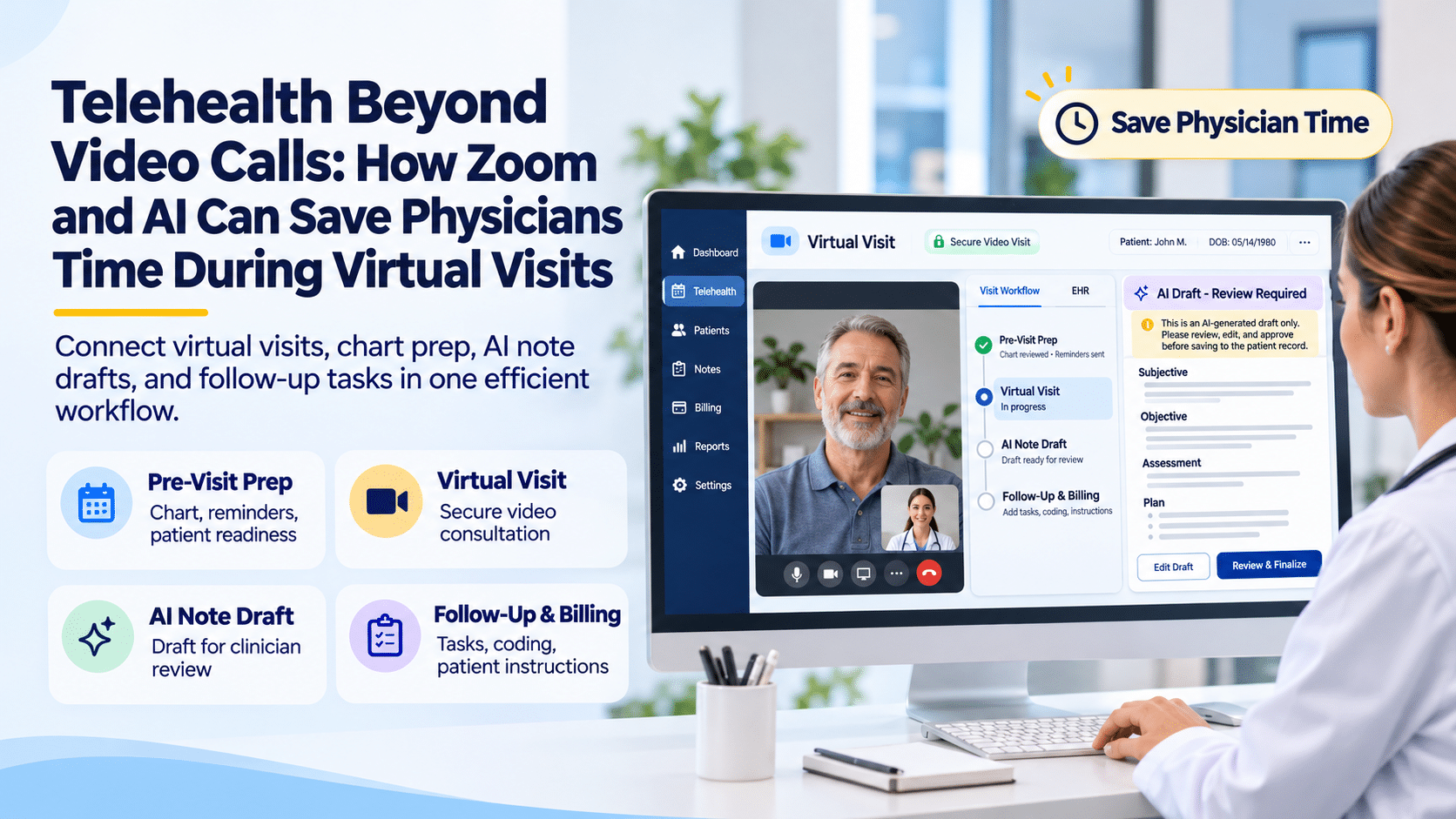
A virtual appointment is not just a video conversation. A clinic must confirm the patient, prepare the chart, conduct an appropriate clinical encounter, document its findings, communicate the plan and finish the billing work. Zoom can supply the communication channel; an EHR can organize clinical information; and approved AI tools may help with selected documentation tasks. Those are different functions, and treating them as one seamless product without confirming the interfaces is a recipe for duplicate work.
For a physician or practice manager, the relevant question is not whether an AI tool can produce an impressive transcript. It is whether the entire encounter can be completed accurately, safely and with fewer avoidable handoffs.
Why does a video visit still create administrative work?
Consider a routine follow-up appointment. Before the patient joins, the front desk may check demographics, eligibility and appointment details. A medical assistant may collect an updated history, reconcile information and confirm that the patient can access the video platform. The physician needs the correct chart, prior notes, medications and recent test results. After the call, clinical documentation may still require completion, orders must be reviewed, instructions delivered and claims prepared.
If each action lives in a different system, employees may copy information between screens, search for missing notes and ask patients to repeat details. These are workflow-design problems—not limitations that video quality alone can solve. A useful telehealth improvement project should map who performs every action, where the information is stored and what is handed to the next person.
Before the call: prepare the patient, technology and chart
A reliable previsit workflow confirms the correct patient and appointment, provides instructions for connecting, and checks whether forms or relevant history are outstanding. Practices should define how staff handle consent, interpreter needs, urgent symptoms or a patient who cannot connect. Identity confirmation and documentation requirements may vary by care setting and payer.
The EHR should make the relevant patient record accessible to authorized team members. Appointment reminders and patient portals can help communicate with patients, but an appointment reminder is not evidence that a patient has completed intake or is clinically ready. A short readiness checklist prevents avoidable last-minute disruptions.
During the call: what can Zoom, the EHR and AI each do?
Video software transmits the clinical conversation. The EHR remains the record of care, with diagnoses, histories, orders and encounter documentation. An AI scribe or other approved assistant may transcribe or draft a structured note, but only when its workflow, privacy arrangements and clinical reliability have been evaluated.
A sensible division of responsibilities is simple: the clinician conducts the encounter and makes decisions; authorized systems present existing information; AI may generate a draft; and a qualified clinician checks the draft against the visit before signing. Audio quality, overlapping voices, accents and missing context can all produce inaccurate automated notes. Recording a visit also raises separate questions about notification, consent, retention and access.
Five potential AI-assisted telehealth tasks
- Chart preparation: Summarize selected previously documented information when an approved AI system has authorized access.
- Note drafting: Turn approved encounter data into a draft structure for clinician editing.
- Follow-up instructions: Prepare plain-language drafts consistent with clinician-approved decisions.
- Administrative handoffs: Produce task summaries for staff, if the workflow supports it.
- Documentation checks: Flag missing draft sections for human review. None of these tasks should be presented as autonomous medical decision-making.
After the call: who owns the final record and follow-up?
The encounter is not complete when the patient disconnects. The physician reviews and signs the note, verifies diagnoses and orders, and ensures patient instructions reflect the actual plan. Staff coordinate referrals, appointment scheduling and other nonclinical tasks. The billing team checks payer-specific coding and claim requirements. If AI was involved, corrections should be traceable to the final clinician-reviewed record.
An effective practice measures unfinished notes, delayed follow-ups, avoidable rework, denied claims associated with missing information and patient access problems. These operational indicators are more useful than declaring that AI must save a particular number of minutes per visit without doing a controlled test.
Can Zoom be used for HIPAA-compliant telehealth?
HHS guidance states that covered healthcare providers and plans must use telehealth vendors that comply with HIPAA requirements and enter appropriate business associate agreements. Therefore, a practice should evaluate its particular Zoom offering, executed agreements, access settings, recording/transcription configurations and data handling—not assume every consumer video account is appropriate for PHI. A telehealth solution is not compliant solely because a vendor markets itself to healthcare.
Practices should also evaluate whether recordings are necessary, where they are stored, who may access them, and whether any AI transcription vendor is an additional business associate. Train staff to avoid discussing patient information in unapproved channels and to follow escalation procedures for connectivity failures and urgent clinical concerns.
What should an integrated telehealth demo actually show?
Ask the vendor to demonstrate a complete synthetic-patient encounter, not a collection of attractive dashboards. Watch staff schedule the visit, send instructions, locate the patient chart, document the encounter, assign follow-up tasks and prepare a claim. Confirm which steps are native, which require third-party products, and what happens when the internet connection or video session fails.
1st Providers Choice describes EHR, scheduling, patient portal, documentation and practice-management capabilities across its site. Those are relevant building blocks for connected virtual care. However, a native Zoom–ChatGPT–EHR integration or AI transcription feature should be treated as unconfirmed unless it is demonstrated and specified by the company.
A virtual-visit workflow your team can test before changing software
| Stage | Patient-facing activity | Required clinical or administrative control | Where technology may help |
|---|---|---|---|
| Before | Receives visit instructions and joins securely | Confirm identity, consent when required, eligibility and chart readiness | Scheduling, reminders, intake and portal |
| During | Speaks with clinician over video | Assess appropriateness of remote examination; record clinical decisions | Video platform, EHR, optionally approved transcription |
| After | Receives care instructions and follow-up | Clinician signs note; team routes appropriate orders and tasks | EHR task lists, portal messages and billing workflow |
A video visit that ends without follow-up tasks being assigned is not operationally complete. Ask staff to identify who monitors unsigned notes, failed connections, missed appointments and referrals that have not been closed. Those exceptions are often more revealing than a smooth demonstration visit.
What should be measured during a telehealth pilot?
Track time spent preparing charts, time from visit end to signed note, percentage of visits requiring manual re-entry, patient connection problems, and the number of follow-up tasks left unresolved. Measure these before and after any process change using the same appointment type. An AI documentation tool can save drafting time but also add correction work; count both. Avoid extrapolating one clinician’s experience to the entire practice.
What a safe AI transcription process should include
If a clinic evaluates ambient documentation, the workflow should identify the consent and notice requirements applicable to its setting, how audio or transcripts are handled, and whether the vendor is acting as a business associate. A physician should see what was captured, correct inaccuracies, and confirm that examination findings, diagnoses and orders reflect the actual encounter. A transcript is not the same thing as a complete, clinically appropriate medical record.
The practice should test deliberately difficult cases: multiple speakers, poor audio, accents, medication names that sound alike, interrupted calls and a patient declining recording or AI assistance. It should also know how to proceed when the transcription service is unavailable. There must be a workable non-AI path to completing care.
Vendor-demo challenge: Ask the salesperson to show a failed video connection, a patient who needs to switch to telephone when permitted, a revised follow-up instruction and a note that the doctor rejects rather than signs. A system that handles exceptions responsibly may be more useful than one that simply generates a polished draft.
Frequently asked questions
Can physicians use Zoom for telehealth?
Yes, provided the specific technology, agreements, settings and operational process meet the healthcare organization’s applicable privacy, security and care requirements. HHS guidance explains that HIPAA obligations still apply to covered providers delivering telehealth.
Can AI automatically write a telehealth note?
Certain approved systems can draft notes from authorized information, but transcription and summarization can introduce errors. A qualified clinician must verify accuracy, clinical meaning and completeness before the record is finalized.
Does using Zoom automatically integrate the visit into an EHR?
No. Video conferencing, chart access and documentation are separate capabilities. Integration depends on supported product functions and the practice’s configuration.
What is the best first step for improving telehealth efficiency?
Map one current encounter from scheduling through payment. Identify duplicate entry, delayed handoffs and missing data, then test whether a specific workflow change reduces those problems without creating new privacy or clinical risks.
Build a connected virtual-care workflow
A good telehealth experience is defined by the entire patient journey, not just the video connection. Explore how 1st Providers Choice EHR and practice management capabilities can support appointment coordination, documentation, patient communication and billing. Request a Personalized Demo or call 480-782-1116. Ask for a demonstration of your specific telehealth workflow and any separately licensed integrations.