

Patient Self-Scheduling Software: Improving Patient Access and Practice Efficiency
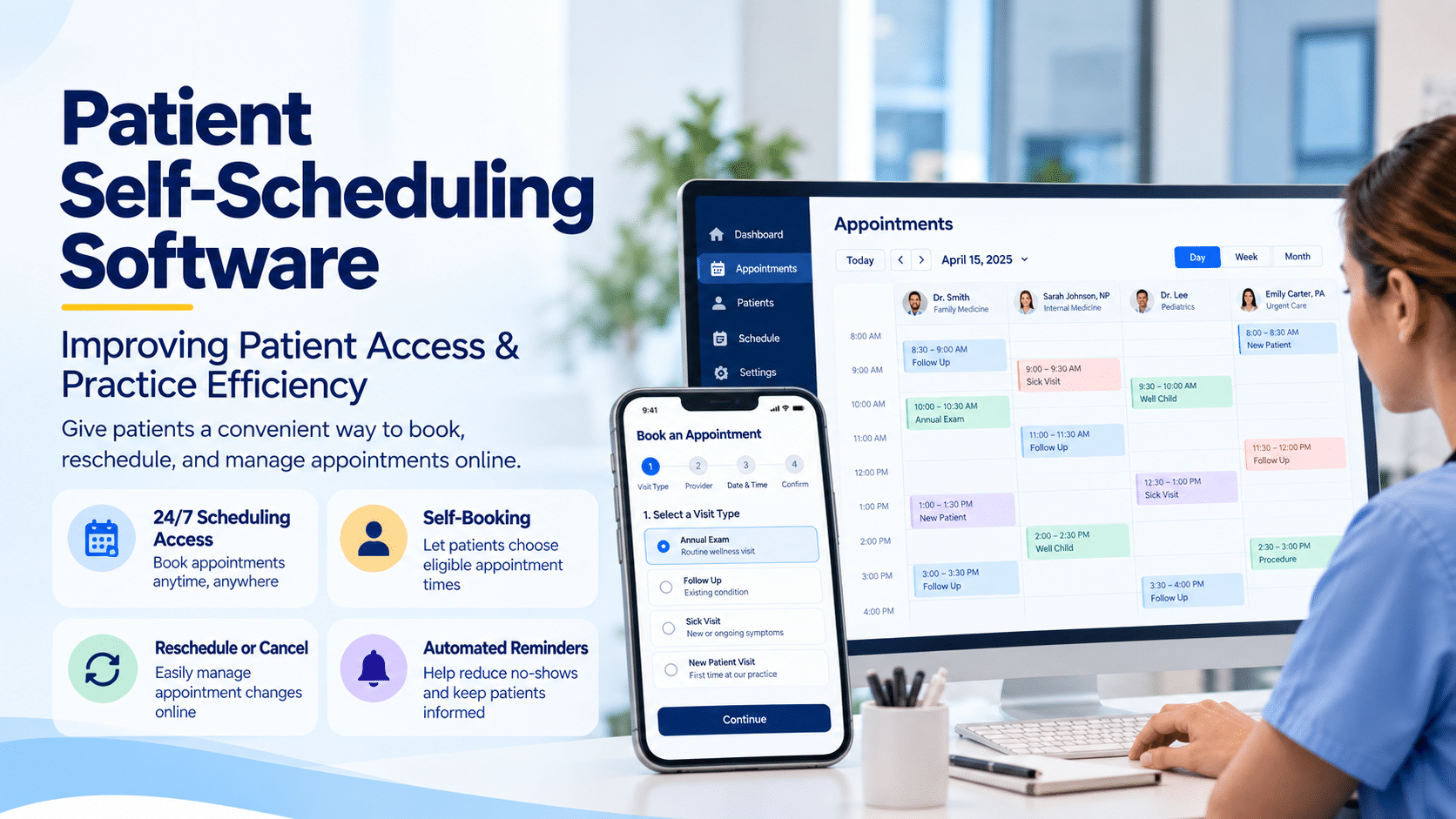
Patient Self-Scheduling Software: Improving Patient Access and Practice Efficiency
Patients can book flights, reserve restaurants, manage banking, and schedule countless services online without making a phone call.
Healthcare scheduling is increasingly moving in the same direction.
Patient self-scheduling software allows patients to view appropriate appointment availability and book or manage appointments digitally without requiring staff to manually handle every scheduling interaction.
For medical practices, however, effective self-scheduling is more complicated than putting an online calendar on a website.
Appointment type, provider availability, location, specialty, visit requirements, eligibility, referrals, authorization, and clinical scheduling rules may all influence where a patient belongs.
That is why successful healthcare self-scheduling needs to combine patient convenience with practice-defined scheduling logic.
For specialty practices such as sleep medicine, the opportunity is particularly significant because scheduling can represent the first step in a much longer patient journey.
What Is Patient Self-Scheduling Software?
Patient self-scheduling software is a digital healthcare scheduling system that enables patients to select eligible appointments through a website, portal, mobile experience, or other online interface.
Depending on the platform, patients may be able to:
- Find an available appointment.
- Select a provider or location.
- Choose an eligible appointment type.
- Book an appointment.
- Confirm their appointment.
- Cancel or reschedule.
- Receive automated reminders.
- Complete related digital intake steps.
The practice defines the scheduling rules behind the experience.
This is what separates healthcare self-scheduling from a generic consumer calendar.
Why Is Patient Self-Scheduling Becoming More Important?
- Patient access increasingly begins before a patient ever speaks with a staff member.
- Traditional phone scheduling has several inherent constraints.
- The patient has to call when the office is available.
- Staff have to be available to answer.
- The appropriate appointment must be found manually.
- If the patient needs to reschedule, another interaction begins.
- Online scheduling creates another path into the practice.
Rather than replacing telephone scheduling entirely, it can give patients an additional option while allowing staff to continue assisting people who need or prefer human support.
What Does Research Say About Healthcare Self-Scheduling?
Published research suggests self-scheduling can improve access, but it also shows why implementation should be thoughtful.
A 2024 retrospective study of an EHR-based self-rescheduling system evaluated more than 60,000 offers for earlier appointments.
More than 5,000 visits resulting from accepted offers were completed, and patients who used the system were seen a median of 14 days earlier than their previously scheduled appointments.
That is a useful example of how digital scheduling can help practices put cancelled or newly available capacity back into circulation.
But the same study found differences in adoption among demographic and language groups.
That finding is equally important.
Digital access should expand the ways patients can reach a practice—not create a new barrier for people who cannot or do not want to use online tools.
The Best Model Is Choice, Not Digital-Only Access
Self-scheduling should give patients another option.
It should not necessarily eliminate:
- Telephone scheduling.
- Staff-assisted scheduling.
- Accessibility accommodations.
- Language support.
- Assistance for complicated appointments.
- Human review when clinical or administrative rules require it.
A well-designed patient-access strategy therefore looks like:
Self-service when appropriate + human assistance when needed.
That model supports convenience without assuming every patient has the same needs.
How Patient Self-Scheduling Can Help a Medical Practice
1. Give patients 24/7 scheduling access
Patients may want to schedule outside office hours.
Self-scheduling allows supported appointments to remain accessible even when the front desk is closed.
A patient who remembers at 9:30 p.m. that they need an appointment does not necessarily have to remember to call again the next morning.
2. Reduce routine scheduling calls
Every appointment booked through an appropriate self-service workflow is one fewer basic scheduling interaction staff need to complete manually.
That can give front-office employees more time for:
- Complicated scheduling.
- Referrals.
- Insurance issues.
- Authorizations.
- Patient questions.
- In-office service.
3. Make rescheduling easier
Cancellations happen.
Making it easier for patients to modify appointments can help practices receive changes earlier rather than learning about them only when a patient does not arrive.
4. Help fill open appointment capacity
Digital waitlist and self-rescheduling functionality can make newly available appointments visible to eligible patients.
The 2024 EHR-based scheduling study demonstrates the potential: patients accepting earlier appointment offers were seen a median of 14 days sooner.
The exact results will vary substantially by practice, specialty, patient population, scheduling rules, and technology.
Practices should measure their own outcomes rather than assuming published results will automatically transfer to their environment.
5. Create a better digital front door
Scheduling is often a patient’s first operational interaction with a practice.
An unnecessarily difficult scheduling process can create frustration before the clinical relationship even begins.
A clear self-scheduling experience can make that first step simpler.
Why Specialty-Specific Scheduling Matters
- Not every healthcare appointment is interchangeable.
- A new patient consultation may require a different time slot from a follow-up.
- A diagnostic procedure may have preparation requirements.
- Some appointments may require referrals or authorization.
- Others may need particular equipment, rooms, providers, or staff.
That means self-scheduling software should understand more than:
“Is 10:00 a.m. open?”
It should help determine:
“Is 10:00 a.m. an appropriate appointment for this patient and this type of visit?”
This is where configurable, specialty-aware scheduling becomes valuable.
Patient Self-Scheduling for Sleep Medicine
A patient’s journey may include:
Referral → Consultation → Sleep Study → Diagnosis → Therapy → DME → Follow-Up → Compliance
These are not necessarily identical appointment types.
A practice may need different workflows for:
- New sleep consultations.
- Follow-up visits.
- Sleep studies.
- Therapy-related appointments.
- PAP follow-up.
- DME-related interactions.
- Remote monitoring or compliance review.
Scheduling therefore works best when it is connected to the larger patient process.
Where Eligibility and Authorization Enter the Workflow
For certain services, a practice may need to verify coverage or determine whether authorization requirements apply before care proceeds.
Self-scheduling should therefore not be designed as an isolated calendar.
A more connected patient-access model can link:
Appointment request → Patient information → Eligibility → Authorization → Scheduling status → Visit
The precise order will vary depending on the practice, payer, and service.
The principle is simple:
The more scheduling understands the surrounding workflow, the less disconnected administrative work the practice has to reconcile later.
Self-Scheduling + Digital Check-In
The patient experience should not end after an appointment is booked.
A modern workflow can move patients from scheduling into digital preparation.
For example:
Book Appointment → Receive Confirmation → Complete Intake → Answer Screening Questions → Verify Information → Receive Reminder → Check In
This gives practices an opportunity to gather required information before the patient arrives.
It can also help patients understand what they need to do next.
Self-Scheduling + Automated Appointment Reminders
Booking and reminders work naturally together.
Once an appointment has been scheduled, automated communications can help patients remember the date and time and follow appropriate next steps.
Depending on the system, reminders may also provide options to confirm, cancel, or reschedule.
This creates a more continuous scheduling lifecycle:
Schedule → Confirm → Remind → Attend / Reschedule
rather than treating appointment booking as a one-time transaction.
Self-Scheduling + AI Receptionist
Patient self-scheduling can also complement emerging conversational AI.
Consider two access paths:
Patient prefers self-service:
Website → Appointment availability → Book
Patient prefers conversation:
Phone/AI-assisted interaction → Scheduling workflow → Book or escalate to staff
The scheduling engine becomes the operational foundation behind multiple patient communication channels.
This is an important distinction.
The future of healthcare scheduling may not be one interface.
Patients may access the same underlying scheduling workflow through web pages, patient portals, mobile applications, conversational AI, or staff.
See How Patient Self-Scheduling Works
Watch the 1st Providers Choice patient self-scheduling video to see how digital scheduling can help connect patient access with practice workflows.
Patient Self-Scheduling With 1st Providers Choice
1st Providers Choice provides patient scheduling capabilities as part of its broader healthcare technology environment.
For Sleep Medicine EMR workflows, the company’s published capabilities include Patient Self-Booking along with related functionality such as:
- Automated appointment reminders.
- Sleep Patient Portal.
- Sleep Patient Process Management.
- Eligibility and authorization workflows.
- Patient appointment scheduling.
- Patient flow management.
- Sleep-specific documentation.
- DME management.
- PAP compliance workflows.
The value of these functions is not simply having more features.
It is the ability to create a more connected patient journey.
Instead of treating scheduling, eligibility, intake, documentation, and follow-up as unrelated activities, practices can think about them as stages of the same workflow.
What Should Practices Look for in Patient Self-Scheduling Software?
Specialty-specific appointment rules
The software should support the actual appointment structures of the practice.
Real-time schedule integration
Patients should not be choosing from outdated availability that creates additional reconciliation work.
Configurable appointment types
Practices should be able to determine which visits can be self-scheduled and which require staff involvement.
Eligibility and authorization workflow support
When payer requirements matter, scheduling should connect appropriately with administrative workflows.
Automated reminders
The scheduling lifecycle should continue after the appointment is booked.
Patient-friendly design
If patients cannot understand the interface, self-scheduling is not truly self-service.
Human scheduling option
Digital scheduling should complement rather than eliminate human assistance.
Reporting
Practices should understand how patients are using the scheduling system and where workflow improvements may be needed.
Common Patient Self-Scheduling Mistakes
Making every appointment self-schedulable
Some appointments require staff review or additional clinical information.
Automation should be selective.
Using a generic calendar without specialty logic
An open time slot is not necessarily the correct appointment slot.
Ignoring the workflow after booking
Scheduling should connect with confirmation, intake, reminders, eligibility, authorization, and other applicable processes.
Eliminating human support
Some patients will always need assistance.
Measuring adoption but not outcomes
A high number of online bookings is not enough.
Practices should consider measures such as:
- Scheduling-channel utilization.
- Appointment lead time.
- Rescheduling behavior.
- Cancellation patterns.
- No-show patterns.
- Staff workload.
- Patient feedback.
- Accessibility across patient groups.
Digital Scheduling Should Make Access Easier for Everyone
One of the most important lessons from published research is that digital healthcare tools do not affect every patient equally.
A self-scheduling system can improve convenience while still being used differently across age, language, insurance, technology access, and other patient characteristics.
Practices should therefore avoid thinking of digital scheduling as an all-or-nothing transition.
The stronger strategy is multi-channel access:
Online self-scheduling + telephone support + staff assistance + accessible patient communication.
Patients can then use the pathway that works for them.
The Future of Scheduling Is Connected Patient Access
Patient self-scheduling is ultimately about more than appointments.
It is part of a larger transformation in how patients enter and move through healthcare organizations.
A connected digital journey can look like:
Find Practice → Book Appointment → Complete Intake → Verify Coverage → Complete Required Authorization Workflow → Receive Reminder → Attend Visit → Access Portal → Continue Follow-Up
For sleep medicine, the journey may continue into:
Sleep Study → Diagnosis → Therapy → DME → PAP Compliance
When those workflows are connected, technology can support both sides of healthcare access: convenience for the patient and better operational visibility for the practice.
Frequently Asked Questions
What is patient self-scheduling software?
Patient self-scheduling software allows patients to view eligible appointment availability and schedule appointments digitally according to rules established by the healthcare organization.
Can patients schedule medical appointments online?
Yes. Healthcare practices can offer online self-scheduling for selected appointment types. More complicated visits may still require staff review.
Does patient self-scheduling reduce no-shows?
Some studies have found differences in missed-appointment behavior among self-scheduled patients, but results vary. Practices should combine convenient scheduling with reminders, easy rescheduling, and their own performance measurement rather than assuming self-scheduling alone will eliminate no-shows.
Is self-scheduling useful for specialty practices?
Yes, provided the technology can accommodate specialty-specific appointment types and rules. Specialty workflows frequently require more sophisticated scheduling logic than a generic calendar provides.
Can self-scheduling work for sleep medicine?
Yes. Sleep medicine practices can use self-booking for appropriate appointment types while connecting scheduling with sleep-specific workflows such as consultations, patient processes, reminders, eligibility/authorization, testing, treatment, DME, and follow-up.
Should online scheduling replace phone scheduling?
Not necessarily. Maintaining multiple access channels helps accommodate patients who prefer or require staff assistance.
Give Patients a Simpler Way to Connect With Your Practice
Healthcare access should not depend entirely on whether a patient can reach the front desk at the right moment.
Patient self-scheduling provides another way for practices to offer convenient access while connecting scheduling to the broader patient workflow.
See how 1st Providers Choice can help your organization create a more connected scheduling and patient-management experience.
Schedule a free demo with 1st Providers Choice.