

ResMed AirView Integration Guide with Sleep Medicine EHR
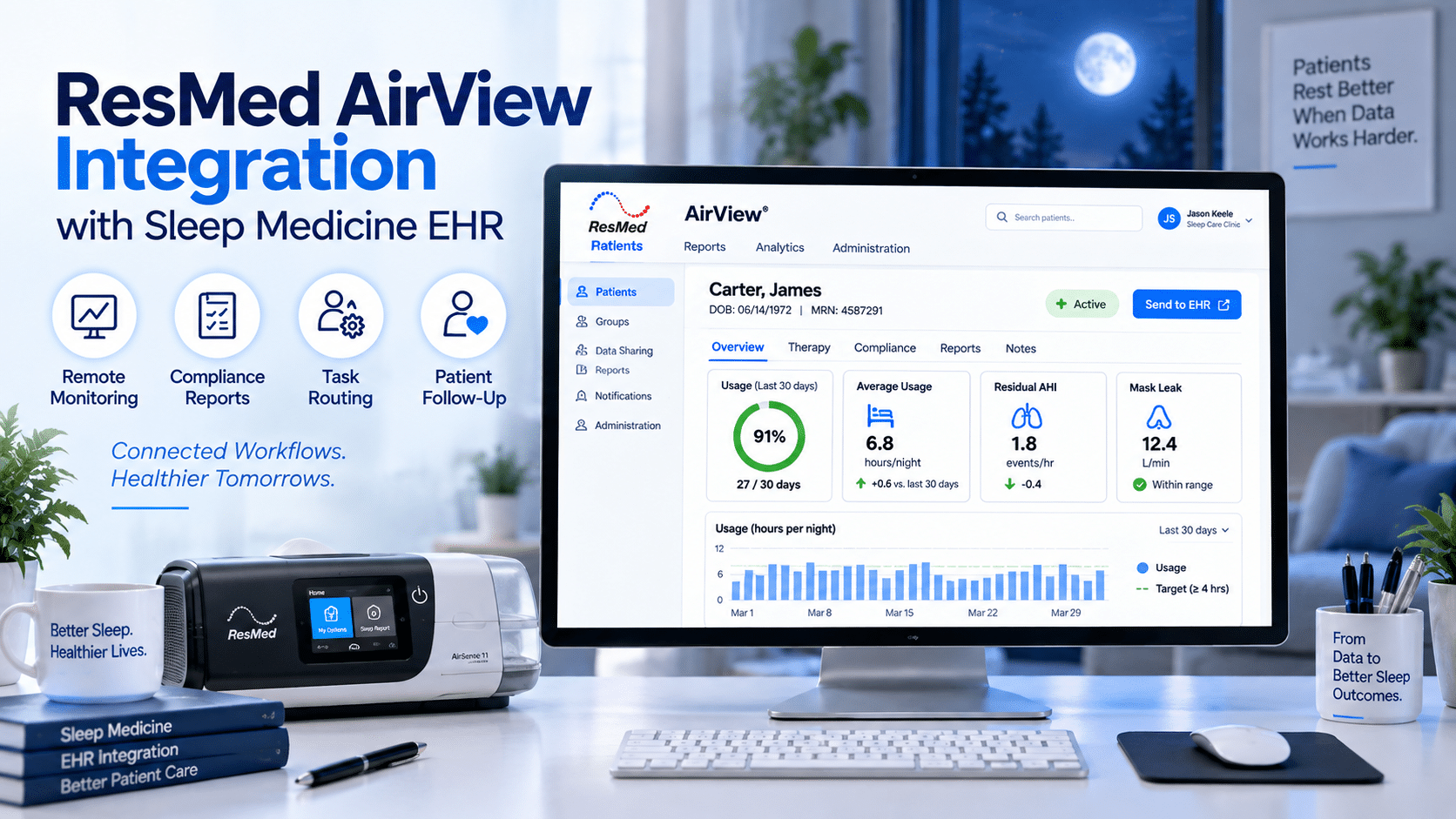
ResMed AirView Integration with Sleep Medicine EHR
For sleep medicine practices, PAP follow-up depends on more than device setup. The care team needs a reliable way to review usage data, identify adherence problems, document compliance reports, communicate with patients, and connect clinical follow-up with billing and DME workflows. That is why ResMed AirView integration is an important operational topic for sleep physicians, sleep lab managers, RPSGTs, DME/HME operators, and practice administrators.
ResMed describes AirView as a secure, cloud-based patient management system that helps healthcare professionals manage patients with sleep-disordered breathing and respiratory insufficiency. It enables care teams to quickly access patient data, share clinical insights, and reduce costs related to patient follow-up.
AirView is not a bedside device. It is a patient management platform used to support PAP setup, remote monitoring, reporting, compliance review, and ongoing patient management. For practices evaluating a Sleep Medicine EHR, the real question is not simply, “Does AirView exist?” The better question is, “Can our EHR workflow help staff act on AirView data in a consistent, documented, and revenue-cycle-friendly way?”
A practical Sleep Medicine EHR should help the practice move from data review to documented action: report reviewed, patient record updated, task assigned, patient contacted, provider notified, and compliance documentation stored.
What Is ResMed AirView?
ResMed AirView is a secure, cloud-based patient management platform for sleep-disordered breathing and respiratory insufficiency workflows. It helps healthcare professionals access patient data, review therapy information, share clinical insights, and support follow-up.
AirView is commonly used by sleep practices, DME/HME teams, and clinical staff to support PAP therapy management. ResMed also states that AirView helps providers manage patients from diagnosis through ongoing care.
From an EHR workflow perspective, AirView should be viewed as a data and reporting source. The Sleep Medicine EHR should then become the system where clinical review, documentation, task routing, portal communication, compliance follow-up, and billing-supporting notes are organized.
ResMed AirView Integration: What It Should Mean in an EHR Workflow
ResMed AirView integration should be described carefully. Practices should not assume bidirectional sync, real-time API access, or certified interoperability unless ResMed, the EHR vendor, and implementation documentation confirm that specific capability.
A safer and more accurate workflow is:
- AirView is used to review PAP therapy and compliance information.
- The sleep team identifies usage, leak, residual AHI, and adherence concerns.
- Key findings are documented in the Sleep Medicine EHR.
- Compliance reports are attached, referenced, or summarized.
- Follow-up tasks are routed to the right staff member.
- Patient portal messages or calls are triggered when outreach is needed.
- Provider interpretation is documented when clinical review is required.
- Billing and DME teams can find supporting documentation when needed.
This approach gives practices operational value without overclaiming direct technical connectivity.
What Data Can Be Connected or Documented?
AirView workflows can support review of PAP usage, compliance reports, leak, AHI, therapy progress, and device-related follow-up information. ResMed AirView resources describe reporting and monitoring functions that include compliance reports and therapy data visibility.
In a Sleep Medicine EHR, the most useful AirView-related data points usually include:
- Usage hours
- PAP adherence status
- CPAP compliance report period
- Mask leak
- Residual AHI
- Therapy progress notes
- Device or setup status
- Patient-reported barriers
- Provider review status
- Follow-up task outcome
The EHR does not need to replace AirView. The EHR should organize what the team did after reviewing AirView data.
AirView-to-EHR Workflow Map
A strong AirView workflow should be clear enough for staff to repeat every day.
|
Workflow Stage |
AirView Role |
Sleep Medicine EHR Role |
Operational Impact |
|
PAP setup |
Supports patient/device management workflows |
Records setup status and follow-up plan |
Reduces missed first follow-up |
|
Remote monitoring |
Shows therapy and adherence information |
Documents review and next action |
Helps staff intervene earlier |
|
Compliance reporting |
Provides compliance report access |
Stores, references, or summarizes report |
Supports payer/DME documentation |
|
Clinical review |
Helps staff identify usage, leak, and AHI concerns |
Routes provider review tasks |
Reduces provider inbox noise |
|
Patient outreach |
Identifies patients needing contact |
Tracks calls, portal messages, and responses |
Improves follow-up accountability |
|
Billing/DME support |
Provides report evidence |
Makes documentation easier to find |
Reduces back-and-forth |
Who Uses ResMed AirView in a Sleep Practice?
AirView may be used by sleep physicians, APPs, RPSGTs, sleep technologists, DME/HME coordinators, care coordinators, and administrative staff depending on role permissions and the practice workflow.
Sleep Physicians and APPs
Providers use AirView-related information to support clinical review. They should be involved when therapy data suggests persistent residual AHI concerns, pressure intolerance, worsening symptoms, complex sleep apnea follow-up, or potential therapy changes.
RPSGTs and Sleep Technologists
RPSGTs and sleep technologists often review PAP adherence, usage hours, leak, and patient comfort issues. They may troubleshoot mask issues, educate patients, and escalate cases to the provider when needed.
DME/HME Operators and Coordinators
DME/HME teams may use AirView-related workflows to support setup, compliance reporting, device questions, mask replacement, supply coordination, and payer documentation.
Medical Assistants and Care Coordinators
Medical assistants and care coordinators can manage follow-up calls, patient portal reminders, missing report requests, appointment scheduling, and documentation cleanup.
Billing and Revenue Cycle Teams
Billing teams should not interpret clinical therapy data, but they benefit from clean documentation. When compliance reports, provider notes, and patient outreach are organized in the EHR, the billing team spends less time chasing missing information.
What Workflow Does ResMed AirView Integration Improve?
ResMed AirView integration improves the workflow between PAP data review and documented follow-up. It helps sleep practices move from scattered report checking to a structured process for patient management, compliance documentation, task routing, and revenue cycle support.
The most important workflow improvements include:
- Faster identification of low PAP adherence
- More consistent CPAP compliance documentation
- Better visibility into mask leak and residual AHI issues
- Cleaner provider review routing
- Easier patient portal follow-up
- Better DME coordination
- Reduced documentation gaps before billing or payer review
AirView can provide therapy visibility, but the Sleep Medicine EHR should make the follow-up work trackable.
Recommended ResMed AirView Integration Workflow
Step 1: Identify Patients Due for PAP Review
The EHR should flag patients due for PAP setup review, early adherence follow-up, compliance checks, or ongoing sleep apnea follow-up.
Useful task labels include:
- PAP setup completed
- First adherence review due
- Compliance report needed
- Low usage follow-up
- Mask leak review
- Residual AHI provider review
- DME coordination needed
- Follow-up appointment due
This prevents patients from being missed during important compliance and adherence windows.
Step 2: Review AirView Data
Staff should review available patient data in AirView according to practice policy and role permissions. ResMed states that AirView enables healthcare professionals to quickly access patient data and share clinical insights with other health professionals.
The review should focus on practical follow-up questions:
- Is the patient using PAP therapy?
- Are usage hours improving or declining?
- Is mask leak present?
- Is residual AHI concerning?
- Is a compliance report available?
- Does the patient need education, DME support, or provider review?
Step 3: Document the Review in the Sleep Medicine EHR
The EHR note should clearly show what was reviewed and what action was taken.
A useful documentation template may include:
- AirView report reviewed
- Report date range
- Usage hours
- PAP adherence status
- CPAP compliance status
- Mask leak
- Residual AHI
- Patient-reported barriers
- Staff action completed
- Provider review required or not required
- Next follow-up date
This gives providers, staff, billing teams, and DME coordinators a clear record.
Step 4: Attach or Reference PAP Compliance Reports
AirView resources describe one-click compliance reports and access to therapy data reports. In the EHR workflow, the report should be attached, referenced, or summarized according to the practice’s documentation policy.
This is important because compliance reports may be needed for:
- Follow-up visits
- DME coordination
- Payer documentation
- Billing support
- Audit readiness
- Patient care continuity
Step 5: Route Follow-Up Tasks
A Sleep Medicine EHR should turn data into tasks.
Examples:
|
AirView Finding |
EHR Task |
Assigned To |
|
Low usage hours |
Patient outreach |
Care coordinator |
|
High mask leak |
Mask troubleshooting |
RPSGT or DME coordinator |
|
Residual AHI concern |
Clinical review |
Physician or APP |
|
Missing report |
Report request |
Administrative staff |
|
Patient discomfort |
Education + follow-up call |
Sleep technologist |
|
Compliance window approaching |
Compliance review |
Care coordinator or billing support |
This reduces workflow confusion and helps each team member know what to do next.
Step 6: Use the Patient Portal
The patient portal can help close the loop after AirView data review.
Examples of portal messages:
“Your PAP usage appears lower than expected. Are you having mask or comfort issues?”
“Your report suggests possible mask leak. Please check your mask fit or contact our team.”
“Please complete your PAP follow-up questionnaire before your sleep medicine appointment.”
“Your provider reviewed your therapy report and recommends a follow-up discussion.”
The EHR should store these messages so the full outreach history is visible during future visits.
Step 7: Support Billing and DME Documentation
AirView review can support compliance and therapy reporting, but the EHR should make the documentation easy to find.
A strong EHR workflow should help billing and DME teams locate:
- Compliance report date range
- Usage summary
- Provider review notes
- Patient outreach notes
- DME task history
- Follow-up appointment status
- Supporting documentation for payer workflows
This is where workflow design directly affects revenue cycle efficiency.
What Should a Sleep Practice Verify Before Integration?
Before using the phrase “ResMed AirView integration,” a sleep practice should verify what is technically supported, what is workflow-based, what requires manual documentation, and what depends on vendor configuration.
Practice leaders should verify:
- Does the EHR support direct AirView connectivity, or is the workflow based on report review and documentation?
- Can staff attach, reference, or summarize AirView reports?
- Can PAP compliance data be entered in structured fields?
- Can follow-up tasks be routed by role?
- Can patient portal outreach be tied to PAP follow-up?
- Can billing and DME teams access compliance documentation?
- Are user permissions and access roles clearly defined?
- Are workflow claims supported by vendor documentation?
A trustworthy EHR vendor should explain the difference between direct technical integration and operational workflow support.
Buyer-Focused Checklist for Sleep Medicine EHR Selection
When evaluating a Sleep Medicine EHR for AirView workflows, operational leaders should ask practical questions.
Does the EHR Support PAP Compliance Reports?
The EHR should make it easy to document compliance status, report date range, usage hours, leak, residual AHI, and follow-up actions.
Can Staff Attach or Reference AirView Reports?
Reports should be easy to attach, reference, or summarize so providers and billing teams can find them quickly.
Can Tasks Be Routed by Role?
The system should support task routing for providers, RPSGTs, sleep technologists, DME/HME coordinators, care coordinators, and billing staff.
Does the Patient Portal Support PAP Follow-Up?
The portal should support reminders, education, questionnaires, and documented patient communication.
Does the Workflow Support Sleep Lab Operations?
The EHR should support sleep lab operations by connecting PAP setup, therapy review, follow-up scheduling, report documentation, and compliance tracking.
Does the Vendor Avoid Overpromising?
Avoid vague claims such as “fully integrated with everything” unless documentation supports it. The vendor should clearly explain whether the workflow is direct, configured, manual, report-based, or dependent on third-party systems.
AirView Workflow Example for a Sleep Practice
Here is a practical example of how AirView and a Sleep Medicine EHR can work together.
A patient starts PAP therapy after OSA diagnosis. The EHR creates a first adherence review task. Staff review AirView data and notice low usage hours and moderate mask leak. The care coordinator documents the AirView review in the EHR, attaches or references the compliance report, and assigns an RPSGT task for mask troubleshooting.
The patient receives a portal message asking about mask comfort and dryness. The RPSGT calls the patient, documents the discussion, and coordinates DME support if needed. If residual AHI remains elevated after leak is addressed, the case is routed to the provider for review.
This is the practical value of ResMed AirView integration: data becomes documented follow-up.
How 1st Providers Choice Supports AirView Workflows
1st Providers Choice supports specialty-specific Sleep Medicine EHR workflows for practices that need better documentation, task routing, patient communication, compliance tracking, and operational visibility.
For practices using AirView, the priority is to make PAP follow-up easier to manage inside the EHR. That may include:
- Documenting AirView report review
- Tracking PAP adherence
- Recording CPAP compliance status
- Monitoring usage hours, mask leak, and residual AHI
- Assigning follow-up tasks
- Supporting patient portal communication
- Organizing DME and billing documentation
- Keeping provider review visible
A well-designed Sleep Medicine EHR should help sleep practices move from scattered report checking to a consistent follow-up workflow.
FAQs
1. What is ResMed AirView integration?
ResMed AirView integration refers to the workflow that connects AirView data review with Sleep Medicine EHR documentation, task routing, patient portal communication, compliance reporting, and follow-up tracking. It should not be assumed to mean direct real-time EHR sync unless vendor documentation confirms that capability.
2. What data can be reviewed from AirView for EHR documentation?
Sleep teams commonly review PAP usage, compliance reports, usage hours, mask leak, residual AHI, therapy progress, and patient management information. The EHR should document the report date range, findings, staff action, provider review status, and next follow-up step.
3. Who uses AirView in a sleep medicine workflow?
AirView may be used by sleep physicians, APPs, RPSGTs, sleep technologists, DME/HME coordinators, care coordinators, and administrative staff depending on role permissions and practice policy. Providers should review clinically significant findings.
4. What workflow does ResMed AirView integration improve?
It improves PAP setup follow-up, remote monitoring, compliance report documentation, mask leak follow-up, residual AHI review, patient portal outreach, DME coordination, and billing-supporting documentation.
5. What should a sleep practice verify before AirView integration?
A practice should verify whether the EHR supports direct connectivity or report-based workflow, whether reports can be attached or summarized, whether tasks can be routed by role, whether patient portal outreach is supported, and whether vendor claims are documented.
Conclusion
ResMed AirView is a secure, cloud-based patient management platform for sleep-disordered breathing and respiratory insufficiency workflows. For sleep medicine practices, its value increases when AirView data review is connected to a clear EHR process for documentation, task routing, patient follow-up, compliance reporting, DME coordination, and revenue cycle support.
A practical ResMed AirView integration strategy should not overpromise direct sync or real-time API access without documentation. Instead, it should help teams review PAP data, document findings, attach or reference compliance reports, contact patients when needed, and keep provider and billing workflows aligned.
1st Providers Choice can help sleep practices build a more organized Sleep Medicine EHR workflow for AirView-supported follow-up, PAP compliance reports, patient portal communication, and sleep lab operations.